Showing posts with label Tricks. Show all posts

How to Root Samsung Galaxy Note 4 N910C on Android 5.1.1 Lollipop Trick

How to Root Samsung Galaxy Note 4 N910C on Android 5.1.1 Lollipop Trick logo
Now Samsung Note 4 as got the new unlock with Android 5.1.1 OTA Update that Samsung rolled out it for users in Poland.You can easily update your device to 5.1.1 Android Lollipop.
Note: - To use this root, ensure that your phone as Android 5.0.1 bootloader, otherwise you will encounter to infinite boot loops. Also, you keep in mind this root removes Knox Security and also install SUPERSU App, Busy box and 5.0.1 modem, Modded googymax n4 kernel.
                                                       

Warning :-   

This trick only works for the Galaxy Note 4 N910C. Rooting your device will harmful and it may lose your warranty of your device, so you have to proceed at your own risk.So tricks zeal is not responsible for any damage your device during the process.

Prerequisites :-

  • USB Cable.
  • Make sure that your device should have minimum 65% of battery, otherwise during the process, it will shut down.
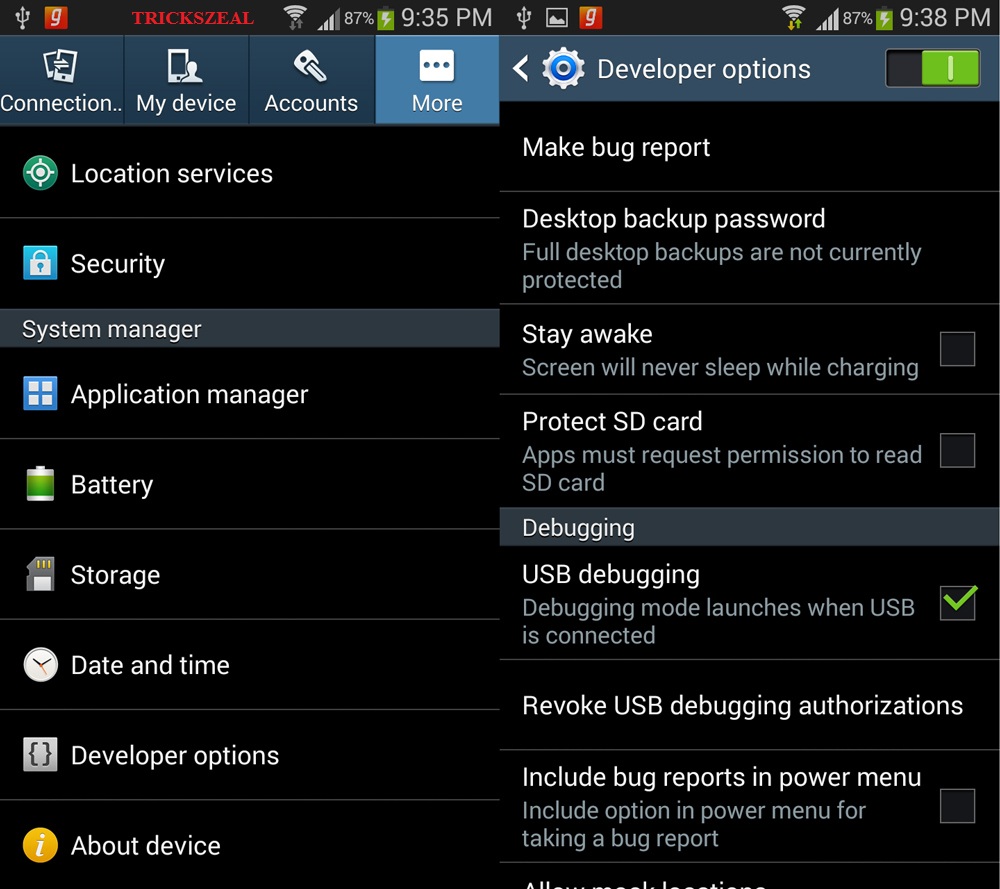
  • Enable USB Debugging on your device.Settings>>About>>Build number and tap it 7 times to unlock the Developer option.Now return to Setting>>Developer option and tick the USB Debugging Check-box.
    How to Root Samsung Galaxy Note 4 N910C on Android 5.1.1 Lollipop Trick logo
  • Now install the Samsung USB driver on your PC.
  • Install TWRP Recovery.
  •  Make sure that your device should be Backup for safe side.
Click Here For Downloads:-

Root Package >>Click Here to Download

Android 5.0.1 Bootloader>>Click Here to Download

How to Root Galaxy Note 4 N910C By Step by Step Process.

  1. Now Download the root package and then transfer to your device storage.
  2. Then Download & Extract the Android 5.0.1 Bootloader package, then you will find the folder in which there is an Odin flashable tar package & Odin binaries.
  3. Now Boot your device and make it into Download Mode. For this
    • First Power off your Phone.
    • Now Press & hold the Volume Down + Power + Home button together until you get the Warning screen with Android logo.
    • Finally, Press Volume Up button to continue to the Download Mode.
    How to Root Samsung Galaxy Note 4 N910C on Android 5.1.1 Lollipop Trick logo

  4. Now connect your device to PC by using USB cable.
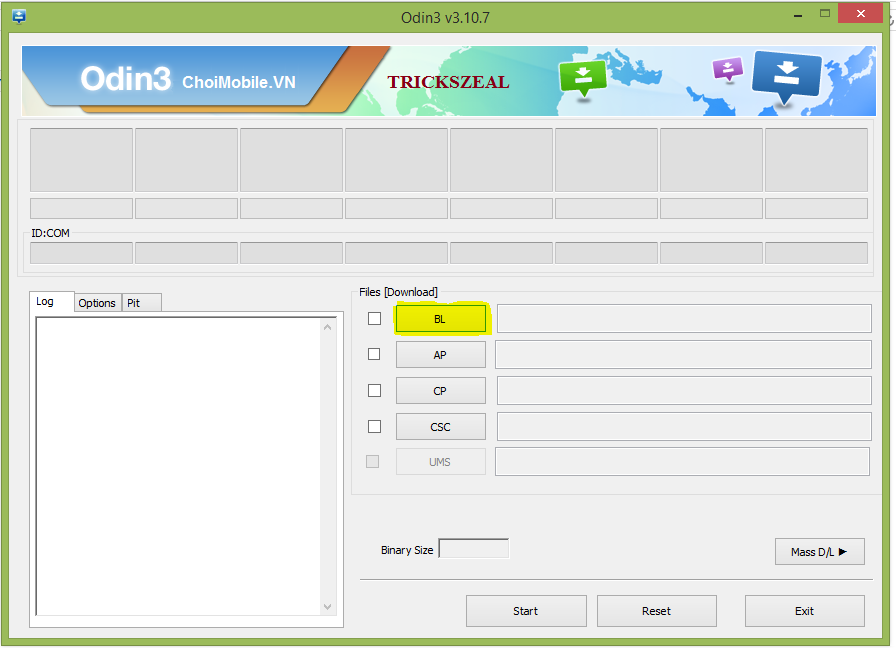
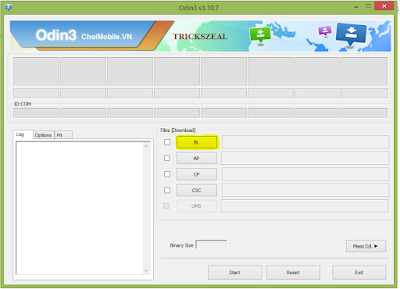
  5. For Odin flash tool you have to Double-click on the Odin3 v3.09.exe file to open.
  6. Now you have to flash the bootloader by loading it in the BL section tool. Now Press start.
    How to Root Samsung Galaxy Note 4 N910C on Android 5.1.1 Lollipop Trick logo
  7. Once the Bootloader is flashed, now reboot your device into the recovery mode. For this:-                   >>Power off your device.                                                                                                             >>Now Press & hold  Volume Up+ Power + Home Button together until it will show the Samsung logo and then release the Power button.Now for recovery menu, you have to Hold the Volume and Home Buttons.
  8. Finally, in the recovery mode, you have to simply flash the root package from the Install menu.
  9. Finally, Reboot your device if the Flashing is completed.
  10. That's it your device is now rooted successfully.                   
How to Create an Adsense For WordPress

How to Create an Adsense For WordPress

                                              How to Create an Adsense For WordPress

In this Article we will show you how to add Google Adsense to your WordPress.Google Adsense is the most popular way of MONTIZE to your website which we can easily add to your WordPress site and then you can strart Earning.

What is Google Adsense?

Google Adsense is an advertisting network which run by the Google it offers to earn money to the website owneres by showing the adds onyour site.Adsense offers which the cost per click on the adds were the user click on the add on your website.

Steps to Start a Adsense :-

1) First you need to sign in to your Google Adsense Account.Otherwise if you have Gmail account 
then you can use that account to sign in it.

2)You have to submit your application(details of your website) after few hours you have to check in
your account weather you are passed or not.If passed then now you can log into your Adsense account and there by you get Add codes.

Here by clicking on the My ads tab and in that click on the New as unit


This will create a New as page.On this page you need to select the Add type,style,and size.And also change the background color.


Once you complete this setup you have to click on save and get the code button.Then you will be prompted with a message ADD SUCCESSFULLY CREATED and then you will see the add code. 


>>Copy the code and past in Widget area.

Adding Google Adsense in WordPress :-

In this first you have to select were you want to show the add on your website mostly it appears in the sidebar.You can add the Ads in your Sidebar by using the WordPress Widgets.
Her you have to copy the Add code and past in the Widget area. 
Here you have to go on Appearance >> click on WIDGETS.Next you have to drag the Text widget to Past your Google Adsense Code in there .


Finally you have to save the add code.Now go to your website and check tha Adds on you website.

Free Airtel 3G trick for all Android Devices


Free Airtel 3G trick for all Android Devices


                                       Airtel Free Internet 3G Trick for Android Devices:


Hello Viewers today i will share a free airtel 3G trick on your airtel android mobile. Let you access downloading with 3G for free to access.Yes it is absolute free.
                                 Airtel 3G is the one of the best provider of 3G service of all over India.the 3G traffic services also increase in india when compare to other networks.There are many Proxy tricks available on the net that are used to access free 3G network .
                                In this site we are providing a free trick of Airtel 3G Which you can download and use with high speed.When we use proxy to access of free Airtel3G internet .
                                It is used direct connection for Airtel 3G without any proxy (or) VPN. This trick is also used for the Android mobiles and PC's.

      Free Airtel 3g tricks for Android Users
  • Download airtel 3G Configuration setting and extract it to SD card   
           Download the configuration setting Here.

http://droidvpn.com/page/cannot-connect-because-port-x-is-closed-37/
  • Go to Google Play Store and you can search for the Droid VPN or click here
http://surefile.org/
  • Install Droid to your Android device and then open it.
  • Add to that Airtel 3G VPN configuration to open the VPN folder.
  • It works try to run the applications and enjoy.

How to use this trick for the PC's:-
  • Just download the configuration setting from the above link.
.http://surefile.org/
  • Download and install the Droid VPN or NMDVPN and set the settings for
 Ex:Program files NMDVPN configuration.

  • Now you can run NMD VPN as the administractor.
  • With this connect you can enjoy it. 
                                                            With this setting you can enjoy free Airtel 3G trick for 
Android users.In this site we update only the latest versions.Thanks for the visit          

How to Earn Money in Blogger or Blogspot


How to Earn Money in Blogger or Blogspot


How to Earn Money in Blogger or Blogspot


                                        Simple Steps to Earn a Money by Blogging

First create a blog in Google blogger and start blogging and add posts in blog with quality content ,so it requires some steps as follows:


  • Your blog must be at least 3 months older.
  • You must maintain original Content.
  • Must maintain  the regular content and along with the Paid Posts.
            For your next step you have to apply for the Google Adsense .If Adsense is approved then start searching  to make money with your blog.

NOTE:


Adsense is only approved whose blog maintain the original contents in the blog.Blog should 
not have any copy pasted posts in our blog.

Apperance counts, Take a look your blog.
  • How does our blog it looks? 
  • Does our blog loads quickly?
  • Maintain the original quality posts?
Earn Some money with following steps:
  • Highlight the key points.
  • Show off your writing skills.
  • Title should be work for you.
  • Make Link to your best paid posts.
By following all this steps you can Earn money by blogging.
  

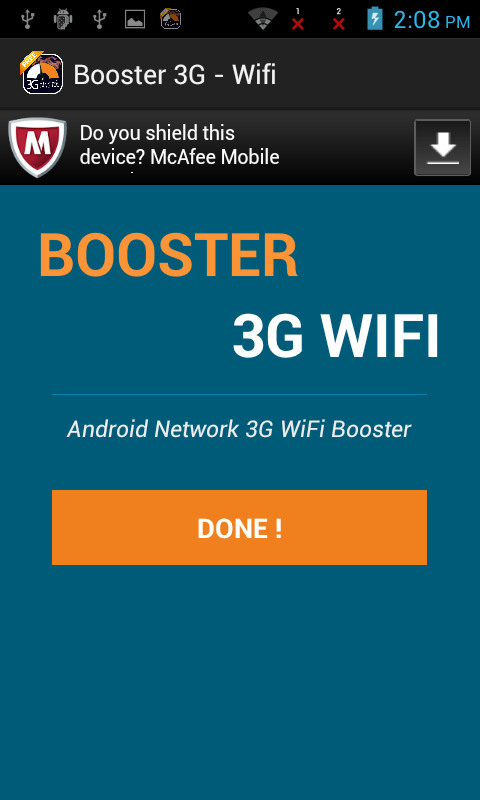
4G and 3G WiFi Booster for Android Devices


                                                  4G and 3G WiFi Booster for Android Devices


Internet Faster app with this your Mobile as an Internet Connection boost by speed up your 3G/4G  (or)
30-60% Wifi connect.

By this app we are giving your phone to get faster internet and also better speed.By this we are not guarantee 100% or 200%, in our test we get from 25% to 50% Internet Connection boost.

1.The Analyses system of any app that could be slowed down our's Android Device.
2.For Faster WiFi Adjust WiFi channel as a faster wireless Internet connection.
3.Clear cache DNS for a Internet speed boost.
4.Set system as a MTU/TTL, for making Internet 2x Faster.
5.Optimize 3G and 4G Connections.
6.It works with rooted (or) non-rooted phones.
Boost internet, 2G 3G 4G Internet, Internet connection boost, Faster Internet, Increase net speed.

Size:-2.0M

Android Requires:-2.5 and above 
http://link.appsapk.com/downloads/92014/Faster%20Internet%20-%203G%20WiFi%20Boost.apk