Showing posts with label Samsung Galaxy Note4. Show all posts

How to Root Samsung Galaxy Note 4 N910C on Android 5.1.1 Lollipop Trick

How to Root Samsung Galaxy Note 4 N910C on Android 5.1.1 Lollipop Trick logo
Now Samsung Note 4 as got the new unlock with Android 5.1.1 OTA Update that Samsung rolled out it for users in Poland.You can easily update your device to 5.1.1 Android Lollipop.
Note: - To use this root, ensure that your phone as Android 5.0.1 bootloader, otherwise you will encounter to infinite boot loops. Also, you keep in mind this root removes Knox Security and also install SUPERSU App, Busy box and 5.0.1 modem, Modded googymax n4 kernel.
                                                       

Warning :-   

This trick only works for the Galaxy Note 4 N910C. Rooting your device will harmful and it may lose your warranty of your device, so you have to proceed at your own risk.So tricks zeal is not responsible for any damage your device during the process.

Prerequisites :-

  • USB Cable.
  • Make sure that your device should have minimum 65% of battery, otherwise during the process, it will shut down.
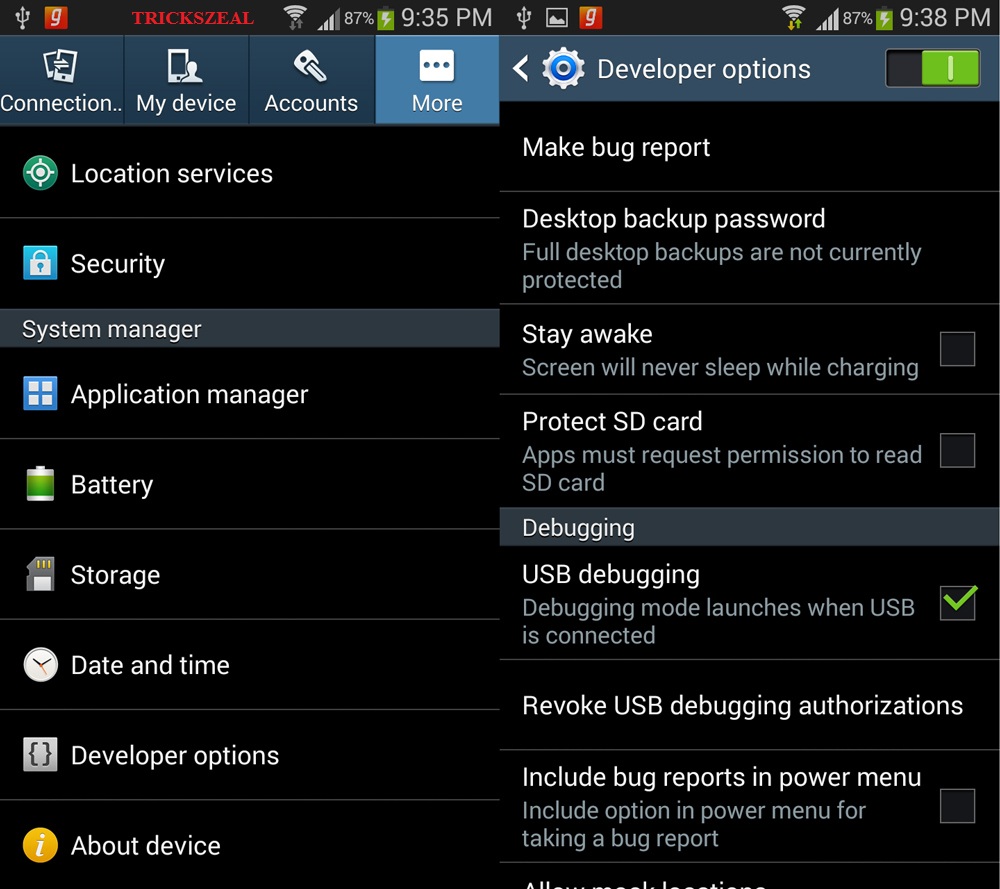
  • Enable USB Debugging on your device.Settings>>About>>Build number and tap it 7 times to unlock the Developer option.Now return to Setting>>Developer option and tick the USB Debugging Check-box.
    How to Root Samsung Galaxy Note 4 N910C on Android 5.1.1 Lollipop Trick logo
  • Now install the Samsung USB driver on your PC.
  • Install TWRP Recovery.
  •  Make sure that your device should be Backup for safe side.
Click Here For Downloads:-

Root Package >>Click Here to Download

Android 5.0.1 Bootloader>>Click Here to Download

How to Root Galaxy Note 4 N910C By Step by Step Process.

  1. Now Download the root package and then transfer to your device storage.
  2. Then Download & Extract the Android 5.0.1 Bootloader package, then you will find the folder in which there is an Odin flashable tar package & Odin binaries.
  3. Now Boot your device and make it into Download Mode. For this
    • First Power off your Phone.
    • Now Press & hold the Volume Down + Power + Home button together until you get the Warning screen with Android logo.
    • Finally, Press Volume Up button to continue to the Download Mode.
    How to Root Samsung Galaxy Note 4 N910C on Android 5.1.1 Lollipop Trick logo

  4. Now connect your device to PC by using USB cable.
  5. For Odin flash tool you have to Double-click on the Odin3 v3.09.exe file to open.
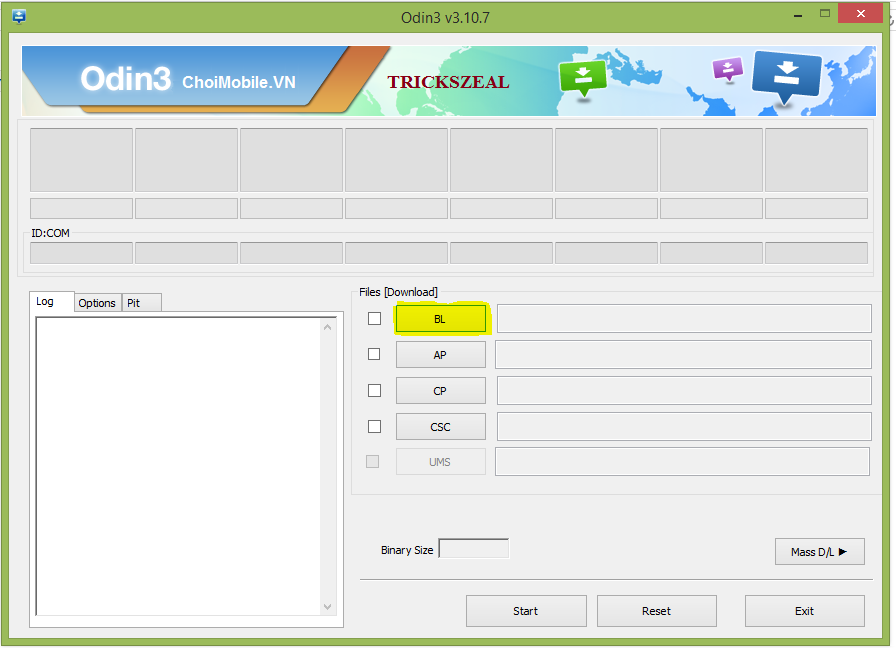
  6. Now you have to flash the bootloader by loading it in the BL section tool. Now Press start.
    How to Root Samsung Galaxy Note 4 N910C on Android 5.1.1 Lollipop Trick logo
  7. Once the Bootloader is flashed, now reboot your device into the recovery mode. For this:-                   >>Power off your device.                                                                                                             >>Now Press & hold  Volume Up+ Power + Home Button together until it will show the Samsung logo and then release the Power button.Now for recovery menu, you have to Hold the Volume and Home Buttons.
  8. Finally, in the recovery mode, you have to simply flash the root package from the Install menu.
  9. Finally, Reboot your device if the Flashing is completed.
  10. That's it your device is now rooted successfully.                   
How to Hide the Photos ,Videos & Files on Samsung Galaxy Note 4 by  using the Private Mode

How to Hide the Photos ,Videos & Files on Samsung Galaxy Note 4 by using the Private Mode

How to Hide the Photos ,Videos & Files on Samsung Galaxy Note 4 by 
using the Private Mode

Samsung Galaxy Note 4

                      You have photos,Videos and files on our Smartphones which you don't like see the others without our permission.So here we have concept called 'Hiding' the files in your 
Phones.Samsung note 4 as provided a built in file hiding features in the Note 4 which is known as the Private Mode.
                         
 The Private Mode allows you to hide the files of photos,videos and the other files
apps,on your note 4.

The Private mode can be turned off to hide what ever the files you have selected like photos,
videos,apps and turning it on it will allow you to view the hidden files on your device.

Here we see how the Hidden files can be stored in private mode of Samsung Galaxy 
Note 4 .To start with,you will need to set up with the private mode.

 Here you have to open the Notification Panel and tap on private mode & then setup a 
pattern

Once you have set up the private mode.then follow the steps:-

How to Hide Photos,Videos and Files on your Samsung Galaxy Note 4 by using the  Private Mode Setup:-

Step 1: Take your Samsung note 4 and go to the Gallery app and then you have to 
select one or more photos that you want to hide from your phone.


Step 2: Then you have to tap on the 3 dots(which you will able to seen on top right of your phone) and select Move to Private 


Step 3: You must have to Enter your passcode or patttern for the Private Mode to protect the hide files 
Image result for passcode or pattern for private mode

Step 4: Now you have to Turn off the Private Mode and all the selected Photos,Videos and files will be Hidden in your phone.

Image result for private mode in note 4 turn off

For Turn ON the private mode to hide all the selected files again.same thing you have to repeat  to hide the photos,videos and files in your Samsung Galaxy Note 4. 

Keep Visiting the Site,as well as we provide more information and features of Samsung
in the upcoming days   

Caller ID Faker Unlimited Credits For Android Apk's

Caller ID Faker Unlimited Credits For Android Apk's


Caller ID Faker :-

This site is providing free caller Id Faker.Unlimited calls for free but the calls only for last two minutes.Without any paid account,Two minutes is more than enough time to disguise your number on a call (or) to prank someone.It also lets you change your voice just like on the webpage,it is also record our call so you can post your pranks to FACEBOOK.


                                    Click Here For Download :                               
                                                         Caller ID Faker 3.2.apk